
跳到内容

描边宽度

所有图标都基于 SVG 描边元素设计。 默认描边宽度为 2px

可以通过 strokeWidth 调整描边宽度,从而改变图标的视觉效果。

使用 strokeWidth prop 调整描边宽度

import { FolderLock } from '@ycloud-web/icons-react';

function App() {
  return (
    <div className="app">
      <FolderLock strokeWidth={1} />
    </div>
  );
}

export default App;

固定描边宽度

调整 size prop 时,描边宽度会随图标尺寸一起缩放,这是 SVG 的默认行为。absoluteStrokeWidth prop 用来改变这种行为,让描边宽度在不同图标尺寸下保持恒定。

也就是说,当启用 absoluteStrokeWidth 且图标 size 设置为 48px 时,屏幕上的 strokeWidth 仍然会保持 2px

注意,2px 是 YCloud 图标的默认描边宽度,你也可以根据需要调整为其他值。
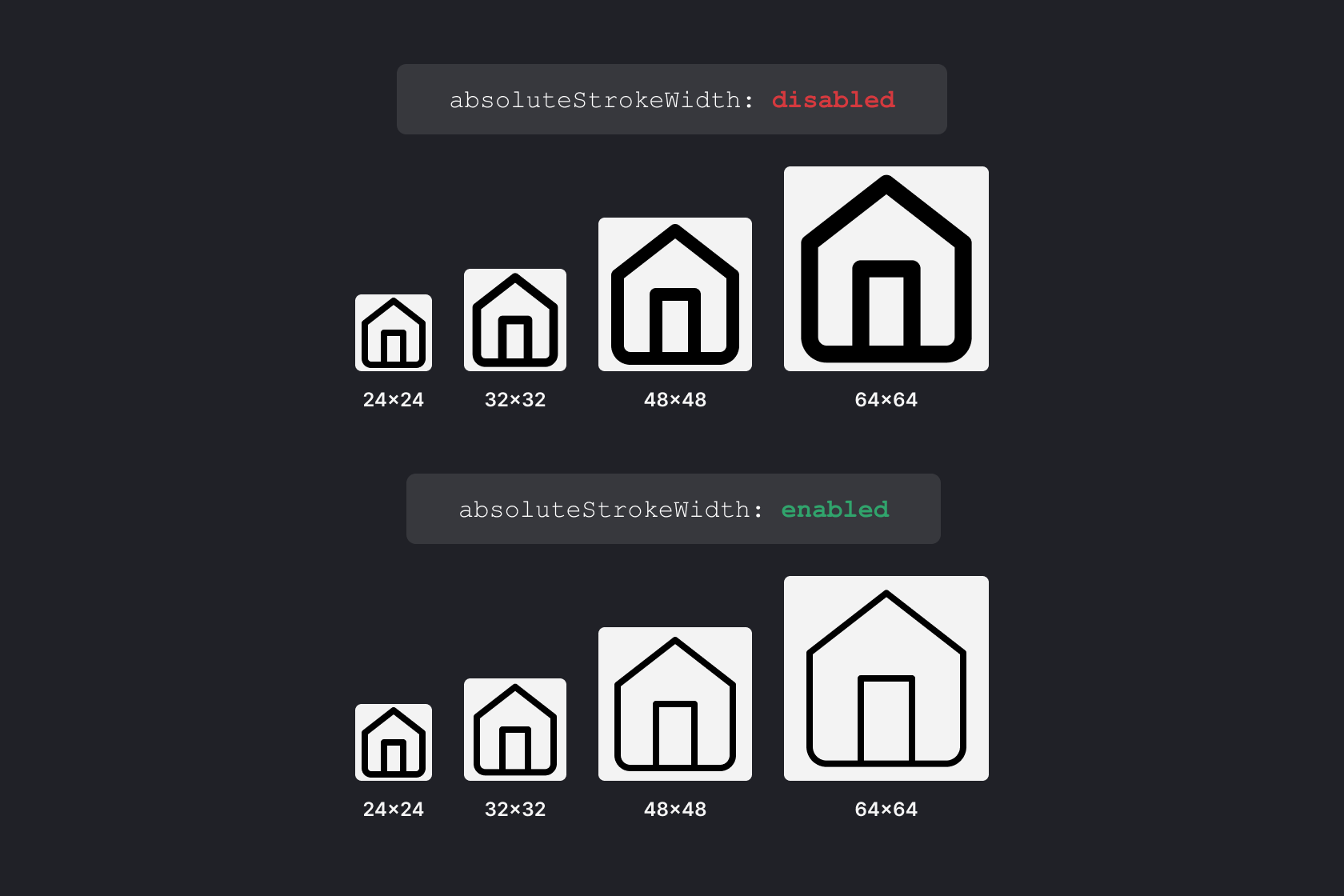
固定描边宽度对比

使用 absoluteStrokeWidth prop 调整描边显示方式

absoluteStrokeWidth 设置为 true 后,描边宽度会保持固定。

import { RollerCoaster } from '@ycloud-web/icons-react';

function App() {
  return (
    <div className="app">
      <RollerCoaster
        size={96}
        absoluteStrokeWidth={true}
      />
    </div>
  );
}

export default App;

基于 ISC 许可证发布。