
描边宽度
所有图标都由使用描边的 SVG 元素绘制,默认描边宽度为 2px。
可以调整 strokeWidth,让图标呈现不同的视觉效果。
使用 strokeWidth prop 调整描边宽度
固定描边宽度
调整 size prop 时,描边宽度会随图标尺寸一起缩放,这是 SVG 的默认行为。absoluteStrokeWidth prop 用来改变这种行为,让描边宽度在不同图标尺寸下保持恒定。
也就是说,当启用 absoluteStrokeWidth 且图标 size 设置为 48px 时,屏幕上的 strokeWidth 仍然会保持 2px。
2px 是 YCloud Icons 的默认描边宽度,你可以根据需要调整。
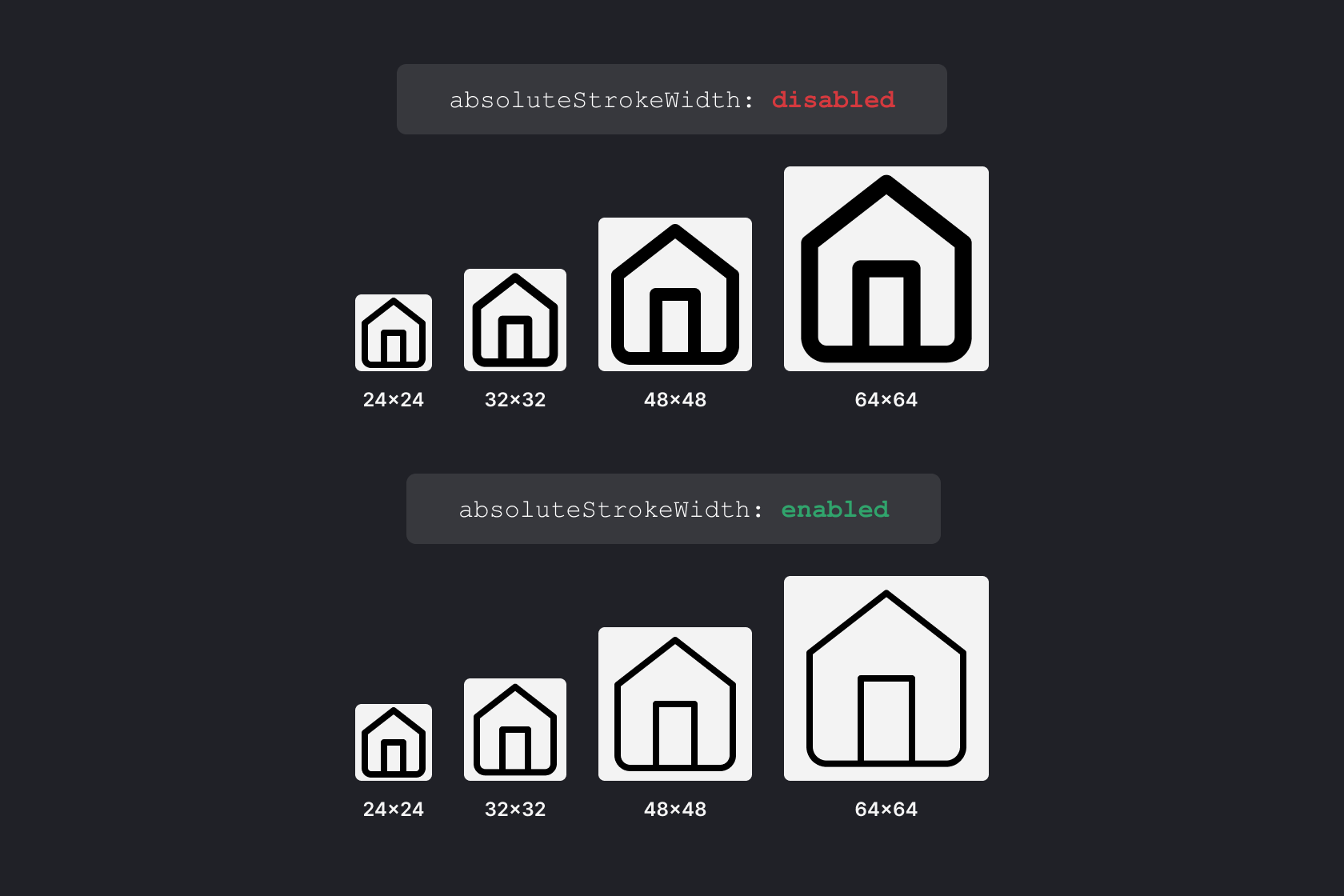
使用 absoluteStrokeWidth prop 调整描边宽度
将 absoluteStrokeWidth 设置为 true 后,描边宽度会保持固定。